
Download GPT Researcher – AI‑Powered Research Automation Tool
Overview & Core Features
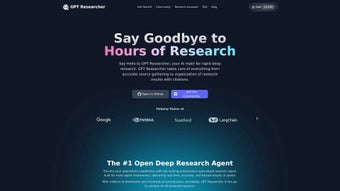
GPT Researcher is a web‑based, open‑source AI research assistant designed to turn vague research questions into polished, citation‑ready reports in a matter of minutes. The platform leverages more than one hundred large language models, from OpenAI’s GPT‑4 to community‑driven Llama variants, and couples them with real‑time queries to major search engines, scholarly databases, and niche data sources. By feeding a concise objective—such as “Analyze the environmental impact of electric‑vehicle battery production”—the system automatically distributes tasks among multiple autonomous agents.
Each agent focuses on a specific sub‑task (literature search, data extraction, outline generation, citation formatting) and reports back to a central dashboard where the user can refine prompts, request deeper analysis, or add additional agents for specialized domains. The result is a structured document that includes an executive summary, detailed sections, a bibliography, and optional visualizations. Because the code is openly licensed, a vibrant community continuously contributes new integrations, improves security patches, and expands export capabilities.
In short, GPT Researcher streamlines the entire research workflow—idea generation, source gathering, synthesis, and final delivery—while keeping the process transparent, reproducible, and free of manual data‑sifting.
Key Feature List
- Autonomous research engine that parses user objectives and returns structured reports.
- Support for over 100 large language models, enabling hybrid local‑and‑cloud processing.
- Multi‑agent collaboration for team‑based research projects.
- Integrated access to major search engines, scholarly databases, and custom APIs.
- Export capabilities in PDF, Microsoft Word, Markdown, JSON, CSV, and HTML.
- Open‑source codebase with active community contributions.
- Customizable pipelines for domain‑specific data extraction and enrichment.
- End‑to‑end encryption for data in transit and optional at‑rest encryption.
- Real‑time citation generation with APA, MLA, Chicago, and IEEE styles.
- Plugin architecture that allows adding new data sources without modifying core code.
Installation, Usage & Compatibility
Getting started with GPT Researcher is intentionally frictionless. For most users the platform works entirely in a browser—simply navigate to the official site, register a free account, and launch the dashboard from any modern browser. No heavyweight client download is required, and the UI automatically adapts to screen size, providing a consistent experience on desktops, laptops, tablets, and smartphones.
Users who prefer full control can self‑host the application using Docker. The repository includes a ready‑made docker‑compose.yml that provisions the web server, a PostgreSQL instance, and an optional model‑serving container. With a single docker compose up -d command the stack is live in under five minutes on Windows 10/11, macOS (Intel or Apple Silicon), or popular Linux distributions such as Ubuntu, Debian, and Fedora.
After the environment is ready, creating a research project is as simple as clicking “New Research,” typing a clear objective, and selecting the desired language model(s). The platform immediately spawns agents, runs parallel searches, and returns a draft outline with source links. Users can iteratively refine the output by adjusting prompts, adding new agents for niche topics, or uploading proprietary datasets for fine‑tuned analysis. All project artefacts are saved in a cloud‑based workspace that can be shared via a secure, time‑limited link—ideal for collaborative teams, peer reviewers, or academic supervisors. The workspace history preserves every iteration, making it easy to roll back to earlier versions or audit the research trail.
Compatible Operating Systems: Because the core product runs in the browser, it is compatible with Windows, macOS, Linux, Chrome OS, Android, and iOS. The Docker‑based self‑hosted option supports the same OS families, provided Docker Engine is installed. Mobile browsers can view and edit projects, though advanced configuration (Docker setup, plugin installation) is best performed on a desktop or laptop.
Pros, Cons & Frequently Asked Questions
Pros
- Rapid generation of well‑structured, citation‑ready research reports.
- Broad model support enables hybrid AI‑plus‑search strategies for higher accuracy.
- Open‑source nature ensures transparency, community‑driven improvements, and no licensing fees.
- Multi‑format export streamlines integration with existing documentation pipelines.
- Collaboration features reduce siloed work and accelerate team projects.
- Responsive UI works on desktop and mobile devices.
- Plugin architecture lets power users add proprietary data sources without code changes.
Cons
- Initial learning curve for users unfamiliar with prompt engineering or agent concepts.
- Self‑hosted deployment requires basic Docker knowledge and a stable internet connection for model updates.
- Free tier of external search APIs may impose rate limits, potentially slowing large‑scale queries.
- Advanced customizations (e.g., private model hosting) may need developer assistance.
- Real‑time visualizations are currently limited to basic charts; complex analytics require export and external processing.
FAQ – Frequently Asked Questions
Is GPT Researcher really free to use?
Yes. The core application is open source and can be downloaded, self‑hosted, or used via the hosted web version at no cost. Some premium integrations—such as enterprise‑grade search APIs—may carry separate fees.
Can I run GPT Researcher completely offline?
You can host the entire stack locally with Docker, but the language models and web‑search components normally require internet access. If you provide your own offline model servers and data sources, a fully offline setup is possible.
Which language models are supported?
Over 100 models are supported, including OpenAI’s GPT‑4, Anthropic’s Claude, Meta’s Llama‑2, Mistral, Cohere, and many community‑maintained open‑source variants.
How secure is my research data?
All data transmitted between your browser and the server is encrypted with TLS 1.3. When self‑hosted, you control the storage location, and optional at‑rest encryption can be enabled for added privacy.
Can I export citations in a specific style?
Yes. The export module includes built‑in formatting for APA, MLA, Chicago, and IEEE styles. Custom styles can be added via a simple JSON template.
Conclusion – Start Automating Your Research Today
In an age where information overload can stall even the most disciplined projects, GPT Researcher offers a practical, secure, and free solution to turn raw questions into actionable insights within minutes. Its ability to orchestrate multiple language models, pull data from trusted sources, and present findings in a variety of export formats bridges the gap between raw AI output and polished, citation‑ready documentation. Whether you are a student drafting a thesis, a marketer preparing a competitive analysis, or a developer building a knowledge base, the tool’s modular design adapts to your workflow without imposing steep licensing fees.
The active open‑source community behind GPT Researcher guarantees continuous improvement, rapid bug fixes, and the addition of new integrations—meaning the software stays current as both AI and web‑search technologies evolve. By downloading and installing the platform today, you gain immediate access to a research assistant that works 24/7, learns from each interaction, and respects your data privacy.
Ready to accelerate your research? Click the download button below, follow the quick setup guide, and experience the future of AI‑enhanced investigation. Empower your team, save countless hours, and produce higher‑quality reports—starting now.



.png)



